AI Sound Analysis: Upload Audio and Hear What’s in It
Upload an audio file or paste a link, and the AI listens to it and describes what it hears in plain words: what kind of sounds are in the recording, what instruments or genre it sounds like if there’s music, how many people are speaking, and roughly what they’re talking about. It also points out anything that stands out as a quality problem, like background noise or muffled speech.
4,909 people used ScreenApp’s audio analyzer in the last 90 days. This is an AI’s read on the file, in plain language, not a lab measurement. Alongside the description you get the full transcript, so you can check anything the AI says against the words themselves.
What the sounds are
The kind of sounds in the recording, and the instruments and likely genre if there is music.
Who is speaking
How many people speak, with a transcript in 100+ languages.
What it is about
A summary of the topics, and notes on obvious quality problems in plain words.
Questions in chat
Ask about a specific part of the recording. Free plan: 2 transcriptions of recordings up to 45 minutes each.
You want the numbers
Peak level, clipping, noise floor and signal to noise in decibels. The audio quality checker measures the waveform in your browser.
You want to know what is in it
A plain-language description of the sounds, music, speakers and topics, with a transcript to check against.
Identify a Sound Online With the Sound Detector AI
Most people who land here have one clip and one question: what is that noise? A hum under a voice memo, a sound effect in a video, something in the background of a call recording.
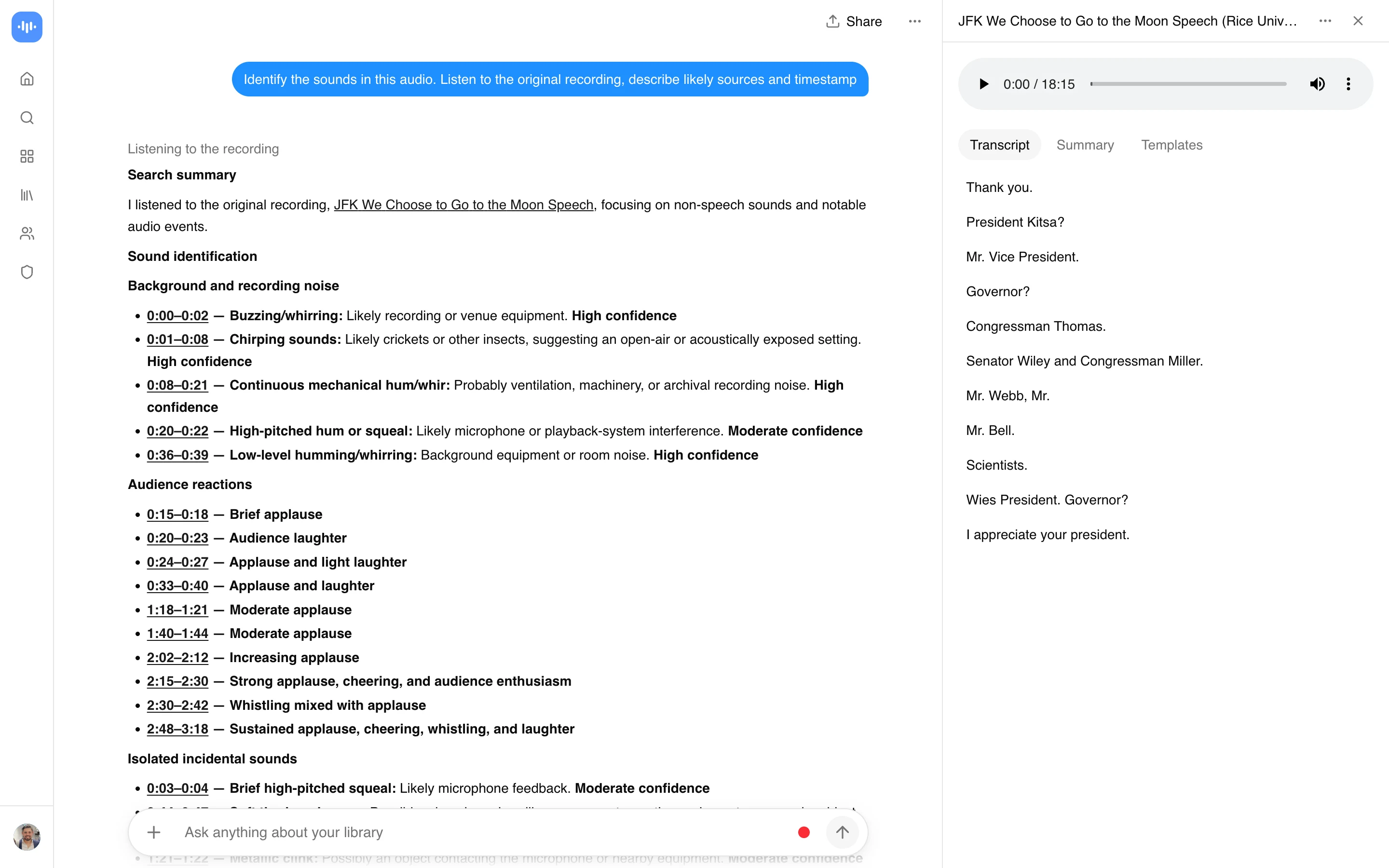
Upload the clip, then ask. The AI listens to the original audio, not just the transcript (AI listening to the original audio to describe sounds, speech delivery, pauses and background noises), so it can tell you that the thump at the start is a door, the rising whine is a drill, or the crowd noise is applause rather than rain. Ask it where in the file a sound happens and it points you to the moment, so you can check it by ear.
The honest limit: it describes sounds, it does not look them up. Ask it to identify a sound effect and you get “a short metallic clang, like a pan dropped on tile”, not the name of a file in a sound library. And for a song, it tells you the genre and the instruments, not the title. If you want the name of a track, a music recognition app like Shazam is the right tool and this is not.
Short, clean clips get the sharpest answers. If the sound you care about is buried under talking, say so in your question (“ignore the voices, what is the beeping?”) and the answer gets noticeably more useful.
Questions that work well:
How to Get an AI Sound Recognition Report
- Upload or link the file: drag in MP3, M4A, MP4A, M4B, AAC, WAV, OGG, OPUS, FLAC, AIFF, WMA, WEBMA, MKA, AC3, EAC3, WV, AMR, DSF, DFF (up to 2 GB in the free online tool), or paste a link to a hosted file.
- Read the AI’s description: a few minutes later you get the plain-language description, the speaker count, and the transcript.
- Ask follow-up questions: use AI chat to ask about a specific part of the recording, or jump straight to the transcript.
A clean recording with one or two voices gets a clearer read than a noisy room with overlapping speech and background music. See how we measure transcript accuracy.
Get a sharper answer
Trim to the sound
Short clips with the sound you care about work best.
Say what to ignore
Tell it to skip the voices or the music.
Check by ear
Jump to the moment it names and listen.
It describes sounds, it does not look them up in a library. For a song title, use a music recognition app.
AI Sound Recognition: ScreenApp vs Other Apps
| Feature | ScreenApp | Otter.ai | AssemblyAI |
|---|---|---|---|
| Free tier | 2 transcriptions of recordings up to 45 minutes each | 300 minutes/month | $50 in credit |
| Price | $19/month annual | $8.33/month annual | $0.15/hour of audio |
Sources, checked 2026-10-14: ScreenApp pricing, Otter pricing, assemblyai.com/pricing
How they differ in practice:
- Otter.ai transcribes meetings and lectures with speaker labels, but its own site does not describe identifying music, instruments or non-speech sounds. ScreenApp adds that description on top of the transcript.
- AssemblyAI is a developer API, priced at $0.15 per hour of audio, that other companies build products with. It is not something you upload a file to directly and read a report from, and its documentation does not describe music or ambient sound detection.
Who Uses an AI Sound Recognition Tool
Podcasters
Check an episode before it goes out, so a chair creak or a noise spike gets fixed.
Field recordists and archivists
Label clips they did not record, then confirm the description by ear.
Support and QA teams
See how many people were on a call and what it was about, before listening.
Researchers and journalists
Get a summary of who spoke in a long interview, then pull an exact quote.
Content moderators
Check what is in a submitted clip before deciding what to do with it.
Anyone with a mystery noise
Find out what that hum, whine or thump in a recording actually is.
What It Can and Cannot Do
Good at
- Describing sounds in plain language, with where they happen
- Detecting music, instruments and genre
- Counting speakers, with a full transcript
- Answering questions about a specific moment
Not built for
- Song titles: it does not match tracks against a catalogue
- Sound library file names: it describes, it does not look up
- Lab-grade measurements: use the audio quality checker for numbers
- Very noisy recordings: overlapping sounds blur the description