How the Telegram Video Downloader Works
Paste the link to a Telegram post and one of two things happens. If the post is public, the video is imported into your ScreenApp library. If it is private or save-restricted, the button changes to “Record it instead”, because no downloader can fetch those. No bot, no extension.
That split is the whole story with Telegram downloads, so it is worth knowing which side your link is on:
- Public channel posts look like
t.me/channelname/123. Anyone can open them without an account, so ScreenApp can fetch the video from the post. - Private channels, invite links and save-restricted posts look like
t.me/c/1234567890/123ort.me/+AbCdEfGh. Telegram keeps these behind your own session, and a channel owner can switch on “restrict saving content” to block saving even for members. A server cannot open them for you. Any site that says it can is either asking for your Telegram login or guessing.
The check happens the moment you paste, before you sign in or wait on anything. I would rather the tool tell you in one second that a link is private than let you sit through a download that was never going to start.
What you get:
- Public posts imported at up to 1080p H.264 MP4 where the source offers it, with the audio
- Private and save-restricted videos captured by recording them as they play, the one route “restrict saving content” cannot block
- No Telegram account, phone number or bot for public posts
- Works from a pasted link on Windows, Mac, Linux, iPhone and Android
- no watermark on any recording or export
- A transcript of every imported or recorded video, so a long lesson becomes text you can search
Saving the MP4 to your device from the ScreenApp app needs a paid plan. Importing, transcribing and asking the AI about the video work on the free plan.
How to Download a Telegram Video
Getting the right link matters more than anything else. A channel link alone (t.me/channelname) has no video attached to it, so copy the link from the message that holds the video.
On Telegram Desktop or the web app:
- Right-click the message with the video and choose Copy Message Link
- Paste it into the Telegram video downloader above and press Download
- Sign in, and the video is imported into your ScreenApp library
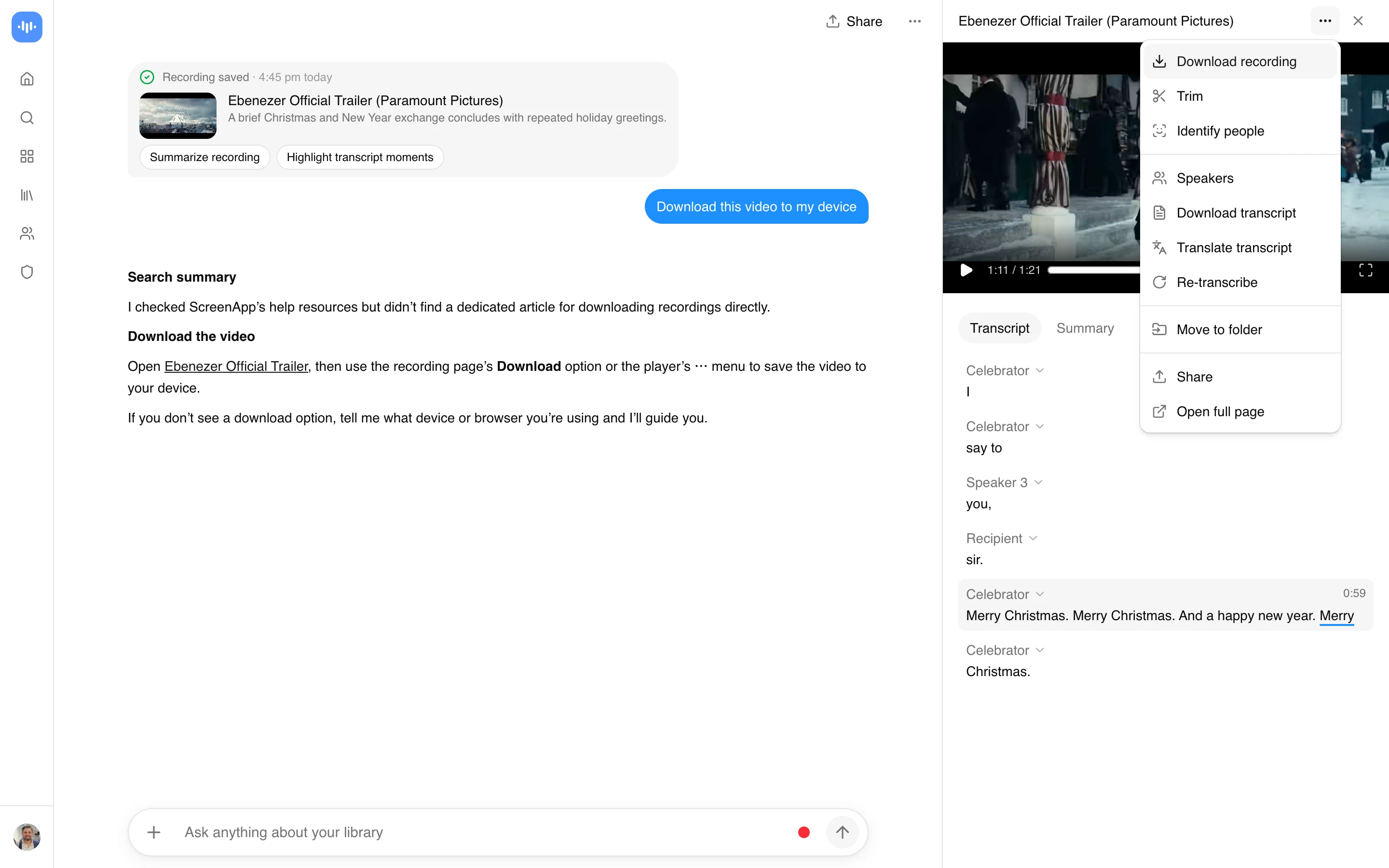
- Download the MP4 from the library (this step needs a paid plan)
On iPhone or Android:
- Long-press the message with the video and tap Copy Link
- Open this page in your mobile browser, paste the link and tap Download
- Sign in, and the video lands in your library, where a paid plan lets you save it to Files or your gallery
If Copy Link is missing from the menu, the post is in a private or save-restricted channel. That is Telegram’s setting, not a bug. Paste whatever link you have anyway, and the tool switches to the recording route for you.
Download Videos from Private and Restricted Telegram Channels
“Restrict saving content” is a per-channel switch. When an admin turns it on, Telegram hides the download and forward buttons in every client, disables copy link, and blocks screenshots on some builds. The video still plays. It just refuses to leave the app.
Screen recording gets around this because it captures what your screen displays rather than asking Telegram for the file. Play the video in Telegram, record the window with sound, and you have your own copy of it.
The steps:
- Open the restricted video in Telegram Desktop or the web app on your computer
- Start a recording in ScreenApp and pick the Telegram window, with tab or system audio switched on
- Play the video from the start and let it run to the end
- Stop the recording, and it is saved to your library with a transcript alongside it
Recording gives you the video at whatever resolution you play it at, so play in fullscreen for the sharpest result. Videos in channels you can view but not save, voice and video messages, and self-destructing media all come through this route.
One thing worth being straight about: recording is capture, not extraction. A one hour video takes one hour to record. For public posts the direct download is faster, which is why the tool checks your link first and only suggests recording when it has to.
Telegram Video Downloader vs Bots and Extensions
Downloader bots such as @SaveVideoBot work by having you forward the video to them, which puts a stranger’s server between you and the file. They also fail on the exact posts people search for help with, because forwarding is the first thing “restrict saving content” disables.
The Telegram Media Downloader userscript does handle restricted channels on the web client, and it is free. The catch is that it needs Tampermonkey, and it breaks whenever Telegram changes its web app, which is often.
And Telegram’s own save button? When it is there, use it. It is the fastest option and costs nothing. This page is for the posts where the button is missing, and for when you want a transcript of what was said.
Who Uses a Telegram Video Downloader
Course and community members
Paid Telegram communities post lessons as videos and often turn on save restrictions. Recording keeps a copy of material you paid for, along with a transcript you can search later.
Journalists and researchers
Telegram channels are a primary source in fast-moving stories, and posts get deleted. Saving the video and its transcript preserves evidence with a timestamp on your own machine.
Social media managers
Client channels and competitor channels both need archiving. Downloading the video keeps the campaign record intact after the channel is cleaned up or the post is removed.
Editors and creators
Clips shared in a Telegram group are usually the fastest way footage moves between team members. Save the original file rather than a re-compressed forward.
Anyone with a slow connection
Downloaded videos play from your device with no buffering, which matters on mobile data or in a country where Telegram traffic is throttled.
Where the File Lands, Desktop vs Phone
The video always goes to your ScreenApp library first. Where the MP4 ends up after you download it from there (paid plan) is what trips people up. On desktop it drops into your browser’s Downloads folder, and if nothing appears, check whether the browser blocked the download and is asking you to allow it. On a phone it goes to Files or your gallery depending on the browser. iOS usually routes it through the Files app rather than straight to Photos.
If you saved it on desktop but want it on your phone, do not download it twice. Send the file to yourself in Telegram’s Saved Messages and open it on the phone. And if an import comes back as a still image or a few seconds long, you probably copied the link while only the preview had loaded. Open the post fully so the real video plays, then copy the link again.
Related Telegram Tools
Transcribe voice notes from a chat with the Telegram voice transcription tool, turn long channel posts into notes with the Telegram voice summarizer, or save video from other platforms with the general video downloader. For the full list of methods, including bots and userscripts, read our Telegram video downloader guide.