
Extract the Audio From a Video File
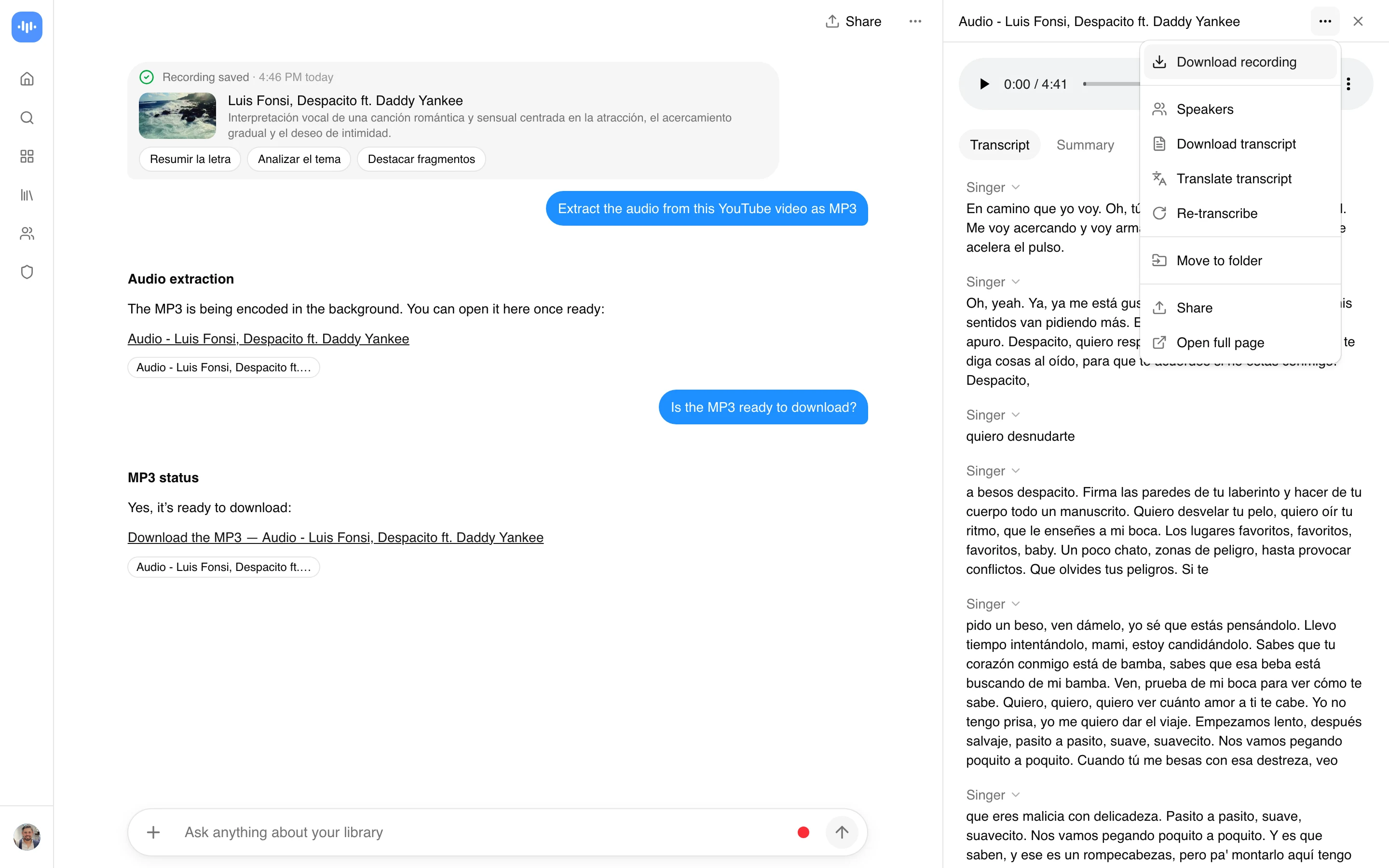
Got a video file and only need the sound? Upload an MP4, MOV, MKV, WebM or AVI and get the audio as its own file. ScreenApp exports audio as MP3, WAV, FLAC, M4A and AAC. Nothing to install: the file is processed in ScreenApp in the cloud, and the audio lands in your library with a transcript.
If your video lives at a URL instead of on your drive, the extract audio from a video link tool is built for that. For a YouTube link straight to an uncompressed file, use the YouTube to WAV converter.
Pick the format
Audio as MP3, WAV, FLAC, M4A and AAC.
Any common video
MP4, MOV, MKV, WebM, AVI or M4V, up to 2 GB in the tool on this page.
A transcript too
The audio lands in your library with a transcript you can search.
Free to try
The free plan covers 2 transcriptions of recordings up to 45 minutes each. Downloads need a paid plan.
How to Convert a Video to Audio
- Add your video: drag in an MP4, MOV, MKV, WebM, AVI, or M4V file. The free online tool on this page takes files up to 2 GB.
- Pick the output: MP3 for anything you will share or play, WAV or FLAC if you need lossless, M4A or AAC for Apple devices.
- Convert and save: the tool pulls out the audio track and saves it to your library. Downloading the file needs a paid plan (Paid plans only).
The audio-only file is a fraction of the size of the video, which is the whole reason most people do this before emailing, uploading or transcribing.
Pick the right format the first time
Sharing or listening
Choose MP3.
Editing or mastering
Choose WAV or FLAC.
Apple devices
Choose M4A or AAC.
Converting never adds quality. The audio can only be as good as the video it came from.
Which Format Should You Pick?
Short version: MP3 unless you have a reason not to. It plays everywhere and the file is small.
MP3
Universal. Podcasts, sharing, phone playback, and most transcription tools take it.
WAV and FLAC
Lossless. Pick these if you will edit, master, or feed a tool that wants uncompressed input.
M4A and AAC
Good sound at small sizes, and the default on iPhone (Voice Memos, Apple Music).
For the full format-and-bitrate breakdown by use case, the audio extractor reference has a decision table.
Convert by Video Format
People search by the exact file they are holding, so here is the mapping. Every row is the same job: drop the file, choose an audio format, download.
| You have | Common search | Output |
|---|---|---|
| MP4 | MP4 to MP3 converter | MP3, or M4A / WAV |
| MOV (iPhone, QuickTime) | MOV to MP3 | MP3 or M4A |
| MKV | MKV to MP3 | MP3 or WAV |
| WebM | WebM to MP3 | MP3 or M4A |
| AVI or M4V | AVI to MP3 | MP3 or WAV |
MKV is the one to watch. It often carries more than one audio track (dubbed languages, director commentary), so play the result back to check you got the track you wanted.
What People Pull Out of a Video
Not everyone wants the whole track. The common jobs:
Music and soundtracks
From a performance or a video you produced.
Voice and dialogue
From an interview, lecture or recorded call, usually on its way to a transcript.
Meeting recordings
A Zoom recording turned into an MP3 to file, share or hand to a notetaker.
Smaller files
A screen recording stripped to audio so it is small enough to email.
If the real goal is a transcript or a summary, skip the download and send the whole video to the AI video summarizer or the meeting notetaker. Converting first just adds a step.
What It Can and Cannot Do
Good at
- Extracting audio as MP3, WAV, M4A, AAC or FLAC
- MP4, MOV, MKV, WebM and AVI uploads
- A transcript of the audio
- No install, from any browser
Not built for
- Better quality than the source: it cannot add detail
- Free downloads: Paid plans only
- Links on this page: use extract audio from a video link
- Picking an MKV audio track: check the result plays the one you want
Pricing
The free plan needs no credit card and covers 2 transcriptions of recordings up to 45 minutes each. To keep going after that, the 7-day trial opens full access and does need a card to start, and Pro is $19/month billed annually. There is no recurring “unlimited free” tier, the accuracy page lays out exactly what the free account covers.