
Scroll tables sideways to compare both products.
Tactiq vs ScreenApp
Pick Tactiq if you want live notes in the browser with no bot in the call.
It runs in Google Chrome or Microsoft Edge on a computer and builds the transcript from the meeting platform's own captions, which must stay on during the meeting. Pro is $8 per user a month on annual billing, the lowest paid price here.
Pick ScreenApp if you want the recording itself, and answers drawn from it.
It records screen, window, browser tab, microphone and camera, with system audio, then transcribes the audio itself, so nobody has to turn captions on. One AI chat can answer across every recording you keep.
Both handled the same file three times. Neither won on accuracy, and the method section explains why.
Looking for a Tactiq Alternative?
Tactiq is a good live notetaker. When people move on, it is usually for one of these reasons.
- Captions have to be on. Tactiq builds its transcript from the meeting platform's own captions, which must stay on during the meeting. If a host turns them off, or the platform’s captions are weak in your language, the transcript suffers too. ScreenApp transcribes the recording itself, in 100+ languages.
- You are not in Chrome or Edge. Tactiq needs Google Chrome or Microsoft Edge on a computer. There is also a Mac app for Zoom, Slack huddles and Teams desktop calls, with no Windows version yet. ScreenApp has Mac (Apple silicon) and Windows apps, plus iOS and Android apps.
- You want the video later. Tactiq’s live notes come from captions, so check whether you will have anything to replay. ScreenApp keeps the recording next to its transcript.
- AI credits run out. Free includes 5 AI credits a month and Pro 10, and each summary or question uses one. ScreenApp Pro includes 50 AI chats a month.
When to Stay with Tactiq
If your team lives in Google Meet and wants notes in Slack or Notion without a bot, stay. Tactiq shares to Slack, Notion, Linear, HubSpot and more, and it is the cheaper paid plan for one person. It also has SAML SSO from Business, customizable on Enterprise; for ScreenApp, SSO and SAML are not available.
Quick Comparison
What we saw across three uploads of the same file on 15 and 16 September 2026. Everything else each product lists is in the full table below.
| What we checked | Tactiq | ScreenApp |
|---|---|---|
| Upload | Completed | Completed |
| Transcript | Timestamps and numbered speakers | Timestamps; speaker labels changed between uploads |
| Summary length (180-word limit) | 191 words, over the limit | 178 words |
| Action items | 4, some of them proposals rather than tasks | 1, with a generic owner |
| Export menus | PDF and TXT | TXT, Word, PDF, VTT and SRT |
| Sharing | Link, email and team-tool destinations | Read-only link, optionally with the recording |
Feature Comparison
Everything each product lists, side by side. The Tactiq column comes from its pricing and home pages and its install and Mac app guides, checked 12 October 2026. The ScreenApp column comes from our pricing page and product documentation. “Not listed” means we did not find it on those pages, not that Tactiq lacks it.
| Feature | Tactiq | ScreenApp |
|---|---|---|
| Recording and capture | ||
| Meeting capture | Tactiq: Yes: live notes in Google Meet, Zoom, and Microsoft Teams with no bot, built from the meeting platform's own captions, which must stay on during the meeting | ScreenApp: Yes: meeting bot for Zoom, Google Meet and Microsoft Teams, joining from Google Calendar and Microsoft Outlook calendars |
| Browsers and apps | Tactiq: Google Chrome or Microsoft Edge on a computer, plus a Mac app for Zoom, Slack huddles and Teams desktop calls, with no Windows version yet | ScreenApp: Mac (Apple silicon) and Windows apps, iOS and Android apps and a Chrome extension that records tab, screen, mic and camera |
| Screen recording | Tactiq: Not listed on the Tactiq pages we checked | ScreenApp: Yes: screen, window, browser tab, microphone and camera, with system audio |
| Files and imports | ||
| File uploads | Tactiq: Yes: up to 2GB, from the Free plan | ScreenApp: Yes: 500 uploads a month on Pro |
| Video links | Tactiq: Not listed on the Tactiq pages we checked | ScreenApp: Yes: YouTube, Vimeo and direct media links |
| Transcription | ||
| Transcription languages | Tactiq: 60+ | ScreenApp: 100+ |
| Speaker labels | Tactiq: Yes: speaker identification | ScreenApp: Yes: speaker identification, with renaming |
| Transcript editing | Tactiq: Yes | ScreenApp: Yes: transcript corrections, line removal and speaker reassignment saved to the recording |
| Translation | Tactiq: Not listed on the Tactiq pages we checked | ScreenApp: Yes: transcript and caption translation into 99 languages |
| AI notes and questions | ||
| AI allowance | Tactiq: 5 AI credits a month on Free, 10 on Pro, unlimited from Team. Credits cover summaries, action items, follow-up emails, project updates and AI questions | ScreenApp: 50 AI chats a month on Pro, plus action items with an owner and deadline, and decisions listed separately |
| Questions across meetings | Tactiq: Yes: AI across multiple meetings | ScreenApp: Yes: one AI chat that searches and answers from every recording in your library, or a single folder |
| Documents from a recording | Tactiq: Not listed on the Tactiq pages we checked | ScreenApp: Yes: documents in Markdown, TXT, PDF, DOCX and PPTX |
| AI dubbing | Tactiq: Not listed on the Tactiq pages we checked | ScreenApp: Yes: translated synthetic speech with a separate voice for each speaker, saved as a new audio or video file |
| Exports and integrations | ||
| Exports | Tactiq: Yes: share and export transcripts on every plan | ScreenApp: Yes: PDF, DOCX, TXT, SRT and VTT, on every plan |
| Integrations | Tactiq: Yes: Slack, Notion, Linear, HubSpot and more | ScreenApp: ScreenApp works with Zapier, Slack and Notion through the API; there are no native Slack, Notion or Zapier apps |
| Connector for AI assistants | Tactiq: Yes: Tactiq MCP and a Claude connector, both in beta, on Business | ScreenApp: Yes: an MCP connector on every plan, including Free |
| API | Tactiq: Not listed on the Tactiq pages we checked | ScreenApp: Yes: API keys, up to 1,000 requests per minute per API key |
| Security | ||
| Certifications | Tactiq: Yes: SOC 2 Type II, ISO 27001, GDPR and HIPAA compliance | ScreenApp: Yes: SOC 2 Type 2; HIPAA compliance and a BAA are not available |
| Single sign-on | Tactiq: Yes: SAML SSO from Business, customizable on Enterprise | ScreenApp: No: SSO and SAML are not available |
Sources, checked 2026-10-12: Tactiq extension install guide, Tactiq plan guide, ScreenApp Chrome extension, ScreenApp supported languages, Tactiq Mac app guide, ScreenApp desktop apps, ScreenApp mobile apps, ScreenApp pricing, Tactiq home page, Tactiq pricing, tactiq.io/speech-to-text, ScreenApp meeting bot repository, ScreenApp meeting bot, Tactiq recording upload guide, Transcription accuracy and languages, Transcript cleaner, ScreenApp audio translator, Video to document, AI video dubbing, Slack integration options, ScreenApp API documentation, ScreenApp trust center
Read down the Tactiq column and it is a meeting tool through and through: captions in, notes and shares out. ScreenApp’s column starts with the recording and works outward from there.
Strengths and Trade-offs
- Notes build while the meeting is still running, so a summary can be ready as the call ends.
- Our upload went through on the Free plan, and both AI prompts got answers.
- The trade-off: transcript quality depends on the platform's captions, and AI is metered in credits on the lower plans.
- The recording, transcript and AI answers stayed together, and a search by recording name found our test uploads.
- All three uploads reached a readable transcript.
- The trade-off: speaker labels changed between uploads of the same file, and Pro costs more for one person.
Price Comparison
USD prices, checked 12 October 2026. Annual prices are monthly equivalents paid upfront. Tactiq charges per user, and its local checkout can differ from the USD table.
| Plan | Monthly Billing | Annual Billing: Monthly Equivalent | Billing Basis |
|---|---|---|---|
| ScreenApp Free | $0 | $0 | Per month; confirm team terms |
| ScreenApp Pro | $30 | $19 | Per month; confirm team terms |
| ScreenApp Max | $69 | $34 | Per month; confirm team terms |
| ScreenApp Enterprise | From $199 | Quote required | Contract quote; annual rate not published |
| Tactiq Free | $0 | $0 | Per user/month; each member needs a license |
| Tactiq Pro | $12 | $8 | Per user/month; each member needs a license |
| Tactiq Team | $20 | $16.67 | Per user/month; each member needs a license |
| Tactiq Business | $40 | $29.17 | Per user/month; each member needs a license |
| Tactiq Enterprise | Custom | Custom | Contract quote; custom terms |
Sources, checked 2026-09-15: Tactiq plan guide, ScreenApp pricing
Included Usage
ScreenApp’s Free uploads and transcriptions are one-off trial totals; Tactiq’s Free allowances reset every month. AI chats and AI credits are different units, so do not compare the counts directly.
| ScreenApp Allowance | Free | Pro | Max | Enterprise |
|---|---|---|---|---|
| Recordings | Up to 45 minutes each | Up to 2 hours each | Up to 3 hours each | By contract |
| Uploads and Imports | 3 to try | 500/month | Unlimited | By contract |
| Transcriptions | 2 to try | 50/month | Unlimited | By contract |
| AI Chats and Templates | 10/month | 50/month | Unlimited | By contract |
Sources, checked 2026-09-23: ScreenApp pricing, ScreenApp recording limits
| Tactiq Allowance | Free | Pro | Team | Business | Enterprise |
|---|---|---|---|---|---|
| Transcripts per Month | 10 | Unlimited | Unlimited | Unlimited | Unlimited |
| AI Credits per Month | 5 | 10 | Unlimited | Unlimited | Unlimited |
Sources, checked 2026-09-15: Tactiq plan guide
ScreenApp’s Pro annual trial lasts 7 days, needs a card, then charges $228 a year unless you cancel. Both products have a Free plan with no card. Tactiq also takes education-pricing applications. Sources: ScreenApp pricing, Tactiq pricing and Tactiq’s plan guide.
Test Results
Summaries and Action Items
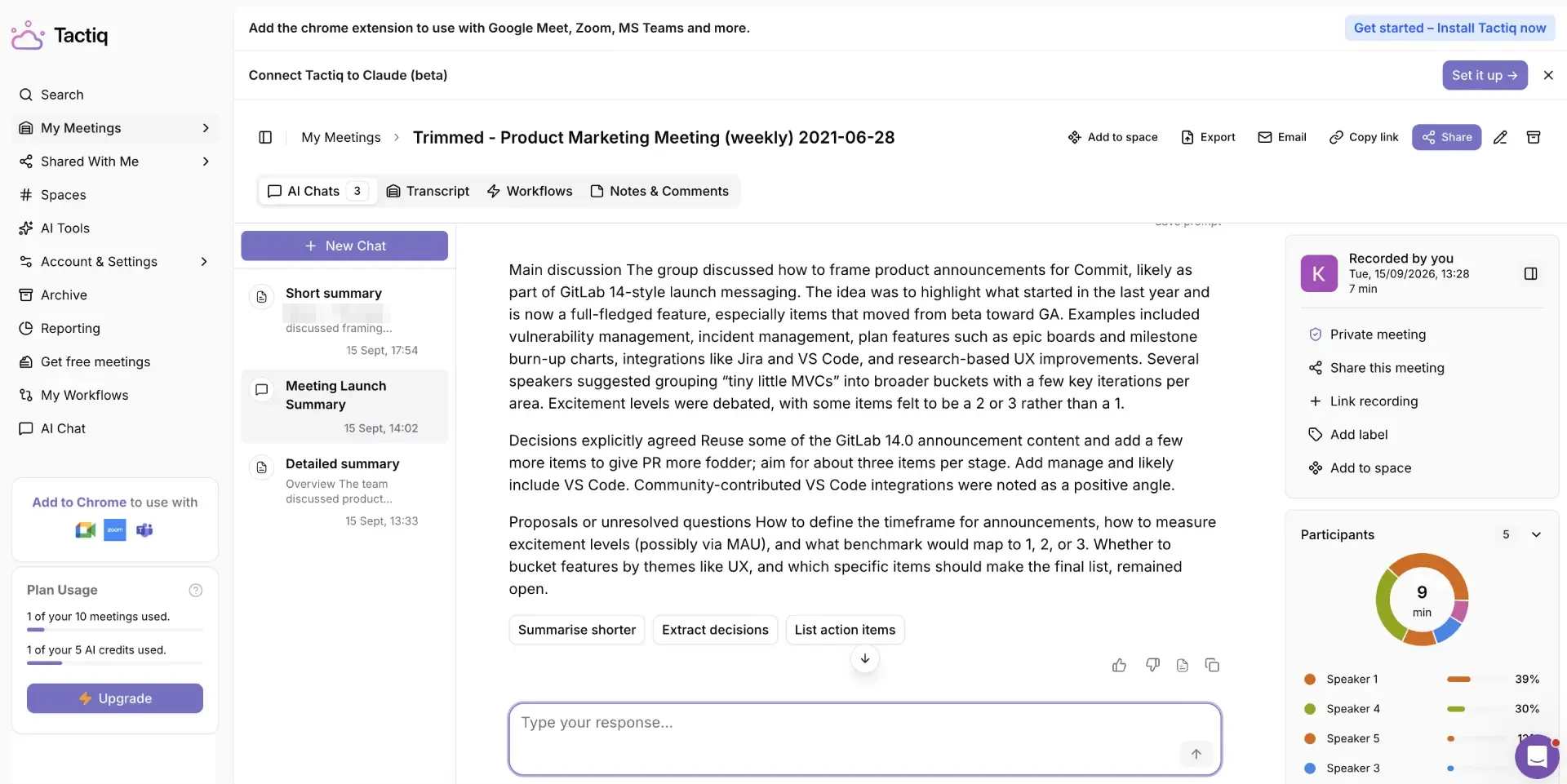
Both summaries covered the announcement planning and left a proposed measurement threshold open. Tactiq’s ran past the 180-word limit. For a closer look at this workflow, see ScreenApp’s AI summarizer.
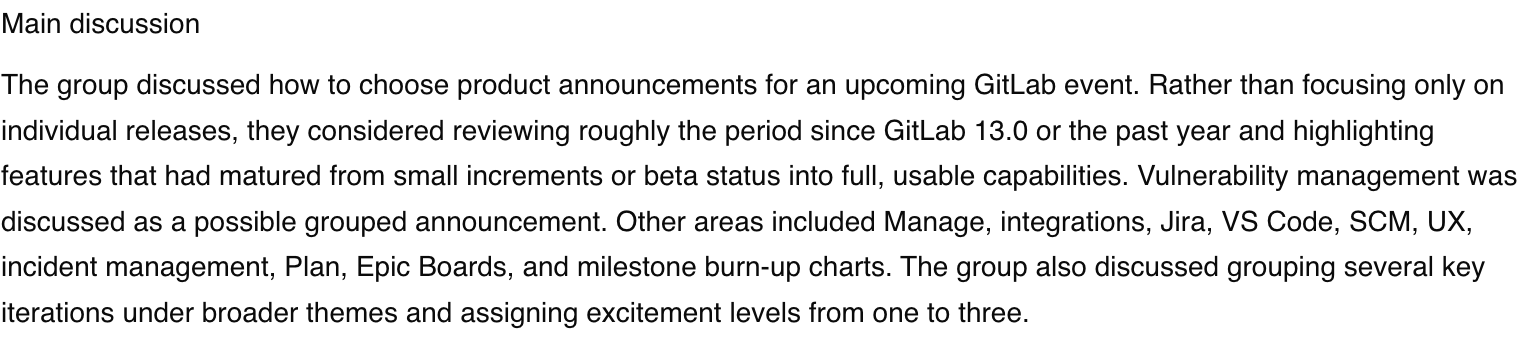
ScreenApp’s speaker labels were the weak spot. The trimmed recording we exported the file from had numbered speakers. The first fresh upload mixed roles with a name (Product Manager, Participant, Developer and Brian), and the next two labelled every segment Product Manager. So the prompts ran on a transcript with no usable speaker split. Tactiq’s numbered labels held steady, though they still need checking against the audio.
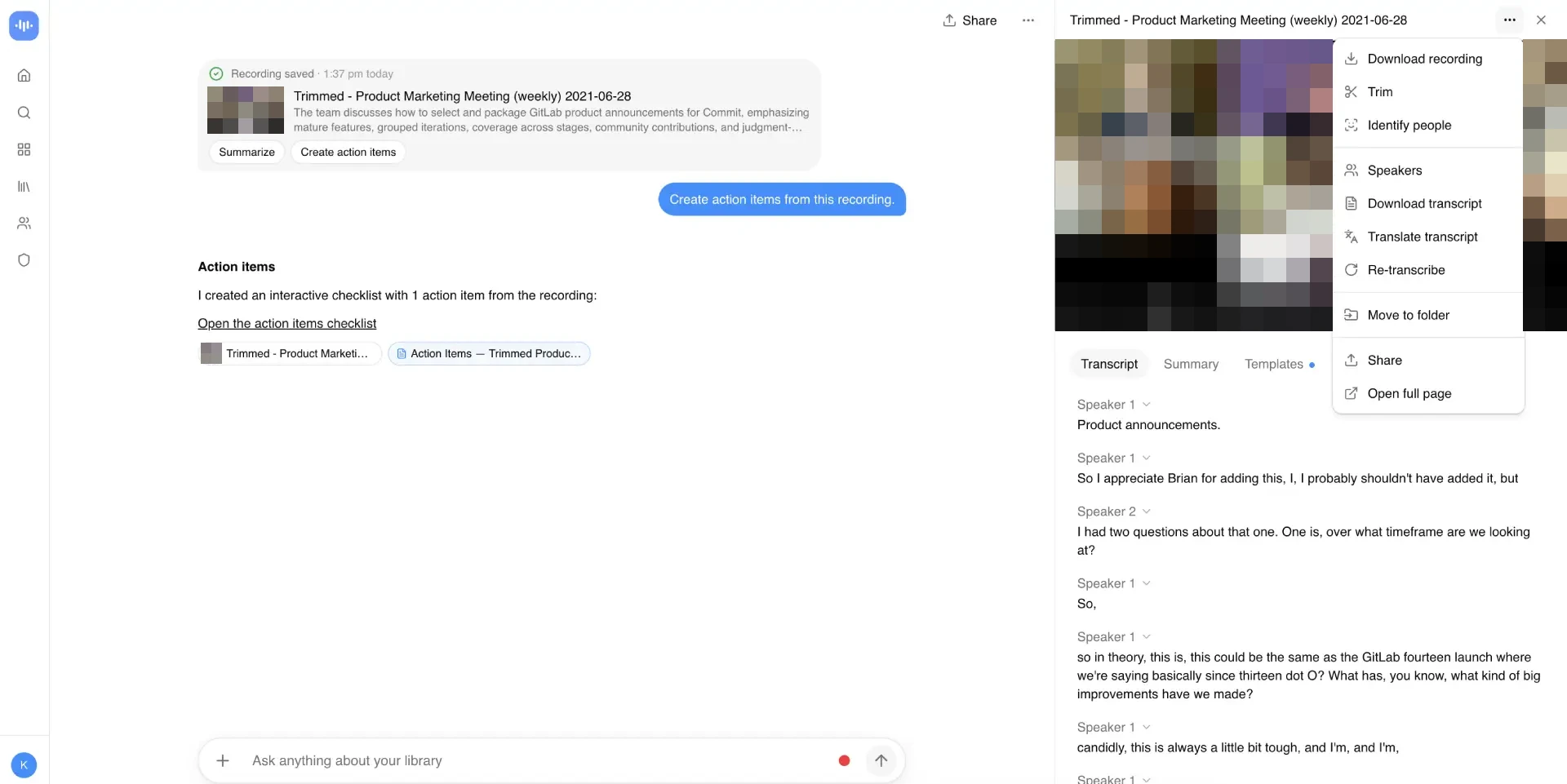
The action lists differed. ScreenApp found one: adding VS Code and supporting notes. Tactiq found four, including reusing earlier release material and a structure for the announcements. Some of those read like suggestions, not commitments, so more items is not automatically better. Our guide to meeting note-taking prompts shows how to ask for decisions and tasks separately.
Upload Times
We uploaded the same eight-minute file three times to each product on 16 September 2026, alternating which went first. Times run from starting the upload to seeing a readable transcript, rounded to the second.
| Product | Readable Transcript Observations | Other Outcome |
|---|---|---|
| ScreenApp | 56, 39 and 43 seconds | All three reviewed runs reached a readable transcript |
| Tactiq | 61 and 58 seconds | An upgrade popup obscured the transcript in the third run; no readable-transcript time is reported for that run |
These are whole-workflow times, not processing benchmarks: they include upload, processing and opening the transcript. ScreenApp was on Pro and Tactiq on Free, and both had seen the file before, so caching may have helped. Three earlier attempts without usable screen recordings were left out.
Recording, Exports and Sharing
Tactiq also accepts uploaded recordings, as its upload guide describes, and our MP4 went through. We did not test its live capture.
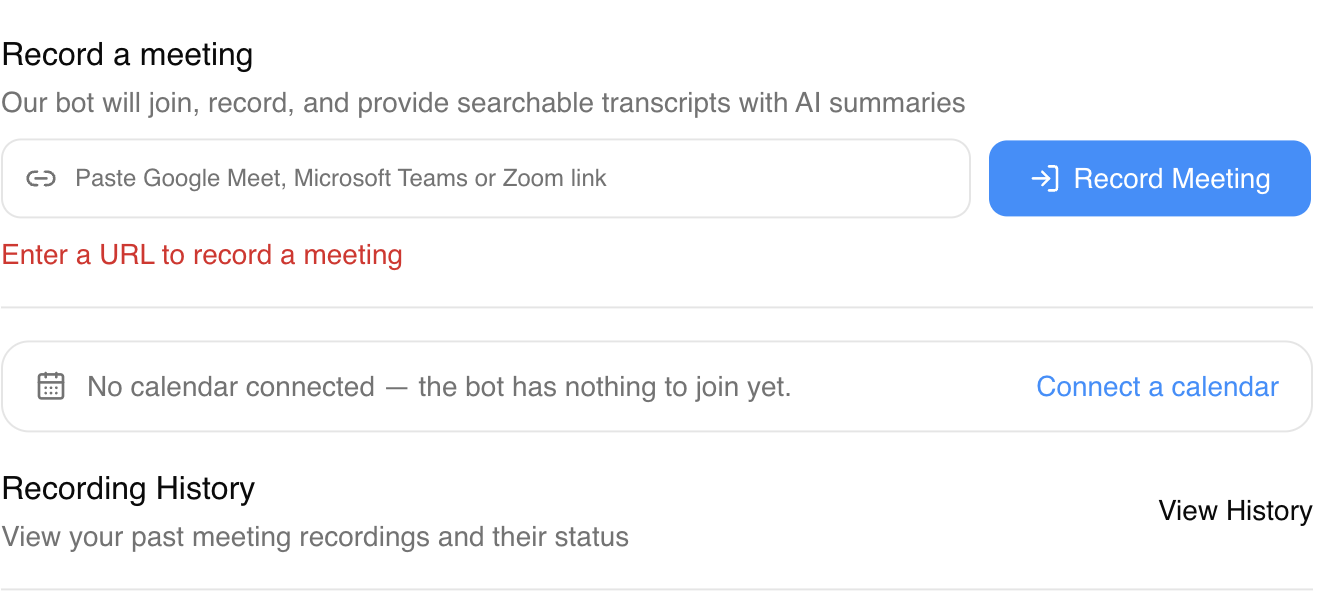
ScreenApp has screen and audio recording and a meeting-link form. An automated screen-recording attempt in our test returned an error we did not trace, and no bot joined a test meeting, so the screenshot below shows the controls only.
On sharing, we opened each menu but did not check what a recipient sees or open a downloaded file. A listed destination does not prove the sync works, on either product. Once the notes are checked, a meeting recap template helps organize what you send.
Privacy and Security
No bot in the call is not the same as private. Tactiq still processes anything you upload, and ScreenApp’s share dialog can include the recording, so check that setting before sending a link. Tactiq lists SOC 2 Type II, ISO 27001, GDPR and HIPAA compliance; ScreenApp has SOC 2 Type 2. We did not audit retention, deletion or recipient permissions on either.
How We Tested
Date
16 September 2026
Plans tested
Tactiq Free and ScreenApp Pro
Input
Identical 480.04-second file bytes
Uploads
Three per product
Readable transcripts
Five of six runs
Prompts
Summary, then action items
The file was an eight-minute excerpt from GitLab Unfiltered’s Product Marketing Meeting (480.04 seconds, 12,341,615 bytes, SHA-256 9b94d8e1), trimmed in ScreenApp and uploaded unchanged to both.
The first pilot used the same two prompts in each product: a summary of at most 180 words, split into discussion, agreed decisions and unresolved proposals; then explicit action items with owner, deadline and timestamp. We did not control model choice or hidden instructions. ScreenApp used automatic language detection; Tactiq’s first upload used English.
Recording frames and browser logs were reviewed with AI help, not by an independent person. We claim no accuracy score, live-capture result, integration delivery or export check.
Frequently Asked Questions
Is ScreenApp a good Tactiq alternative?
If you want the recording as well as the notes, or you are not in Chrome or Edge, yes. If you want cheap live notes that land in Slack or Notion, Tactiq fits better. See when switching makes sense.
Does Tactiq work in Safari, Firefox or as a desktop app?
Its install guide lists Google Chrome or Microsoft Edge on a computer, so not Safari or Firefox. There is also a Mac app for Zoom, Slack huddles and Teams desktop calls, with no Windows version yet.
Does Tactiq have an API?
We did not find a public API on the Tactiq pages we checked. It lists Tactiq MCP and a Claude connector, both in beta, on Business, and shares to Slack, Notion, Linear, HubSpot and more. ScreenApp has API keys.
Can Tactiq transcribe uploaded video?
Is Tactiq cheaper than ScreenApp?
For one Pro user, yes, on both annual and monthly billing. For a team, Tactiq charges per user, so multiply before comparing. Compare the plans.
Which is more accurate?
This test cannot say. Neither transcript was scored against a human-checked reference, and three uploads are too few to judge.
Check Your Own Recording
Open ScreenApp or explore Tactiq. Upload the same file to both, then check the transcript, summary and task owners against the recording. For more options, see our Tactiq alternatives roundup, and for a Meet-only setup, our guide to transcribing a Google Meet call.